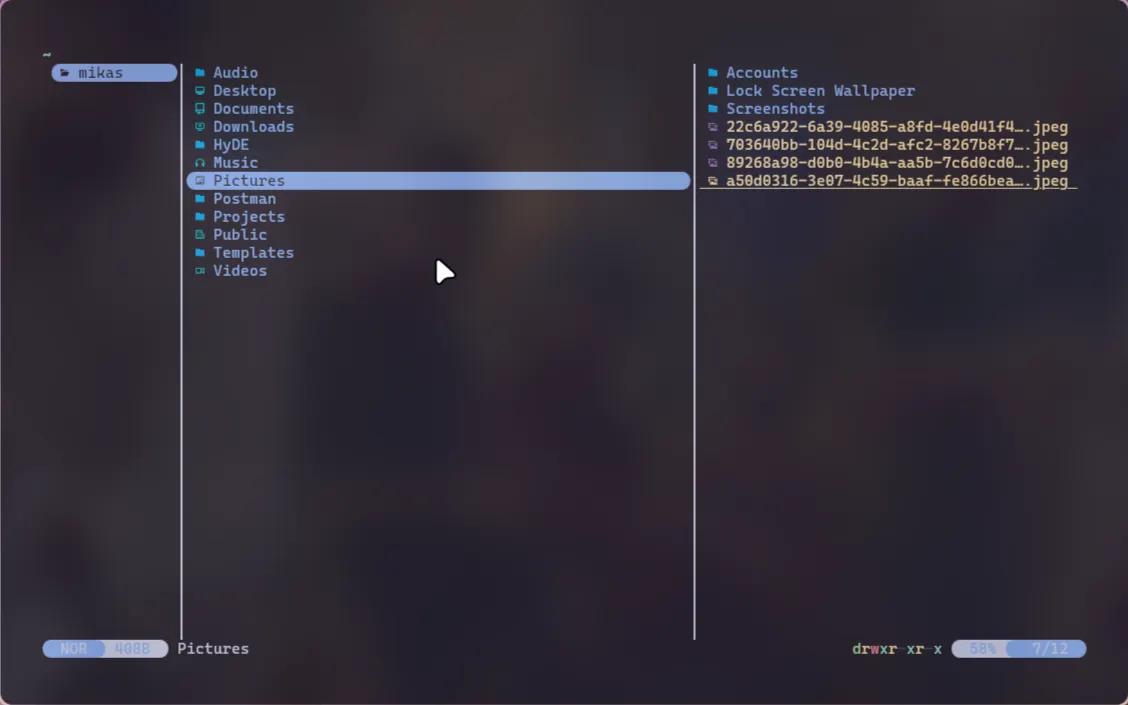
My journey with file managers spans several operating systems, hardware setups, and workflow philosophies. It ultimately led me to leave traditional graphical interfaces behind in favor of Yazi, a lightning-fast, terminal-based file manager written in Rust.
Here is the story of why I made the switch, and how it fundamentally improved my day-to-day productivity as a software engineer.
The Legacy Era: Windows and Bloat
Like many developers, my introduction to personal computing started on Windows. My earliest memories involve using a very old IBM ThinkPad brought over from Hong Kong, running on what used to be my comfy operating system. But as the years went on and Microsoft turned "My Computer" to "This PC", everything in Windows seemed to become more and more bloated, including Windows File Explorer.
The nested menus, slow search indexing, and heavy resource usage eventually became a bottleneck. I wanted a desktop environment that felt snappier, highly customizable, and closer to the metal.
This desire for speed led me to make the jump to Linux.
The Linux Transition: Dolphin and the Breaking Point
After exploring different distributions, I settled on CachyOS running the HyDE environment (a beautifully pre-configured Hyprland setup). By default, it came with Dolphin, the flagship KDE file manager.
At first, Dolphin was a breath of fresh air. It was remarkably fast compared to Windows Explorer, highly customizable, and handled heavy directories with relative ease. I felt like I had found my ideal setup.
Then, a routine system update happened.
Shortly after updating my HyDE configuration, I tried to open the trash directory. Without warning, Dolphin silently crashed and closed itself. While the issue was eventually resolved by updating my HyDE packages, the experience left me frustrated.
As a software engineer, I value reliability above almost everything else. If a basic system utility like a file manager can crash due to a very simple styling config error, it introduces unnecessary friction into my workspace. I realized I wanted a file manager that was:
- Extremely fast and lightweight.
- Completely independent of heavy graphical rendering pipelines.
- Keyboard-driven to match the rest of my development tools.
Discovering Yazi: Speed, Stability, and Vim Motions
Because I was already comfortable using Vim-style motions (h, j, k, l) in my code editor, looking into terminal-based file managers was the logical next step. That is when I found Yazi.
Written in Rust, Yazi is designed around an asynchronous, non-blocking architecture. This means the user interface remains fluid and responsive even while performing heavy operations, such as loading thousands of files or copying large directories in the background.
Three major features immediately stood out to me:
1. Zero Learning Curve for Vim Users
Since Yazi utilizes standard Vim motions for navigation, there was no friction when getting started. Selecting files, navigating directories, and moving up and down parent folders felt like natural muscle memory.
2. Instant Filename Search
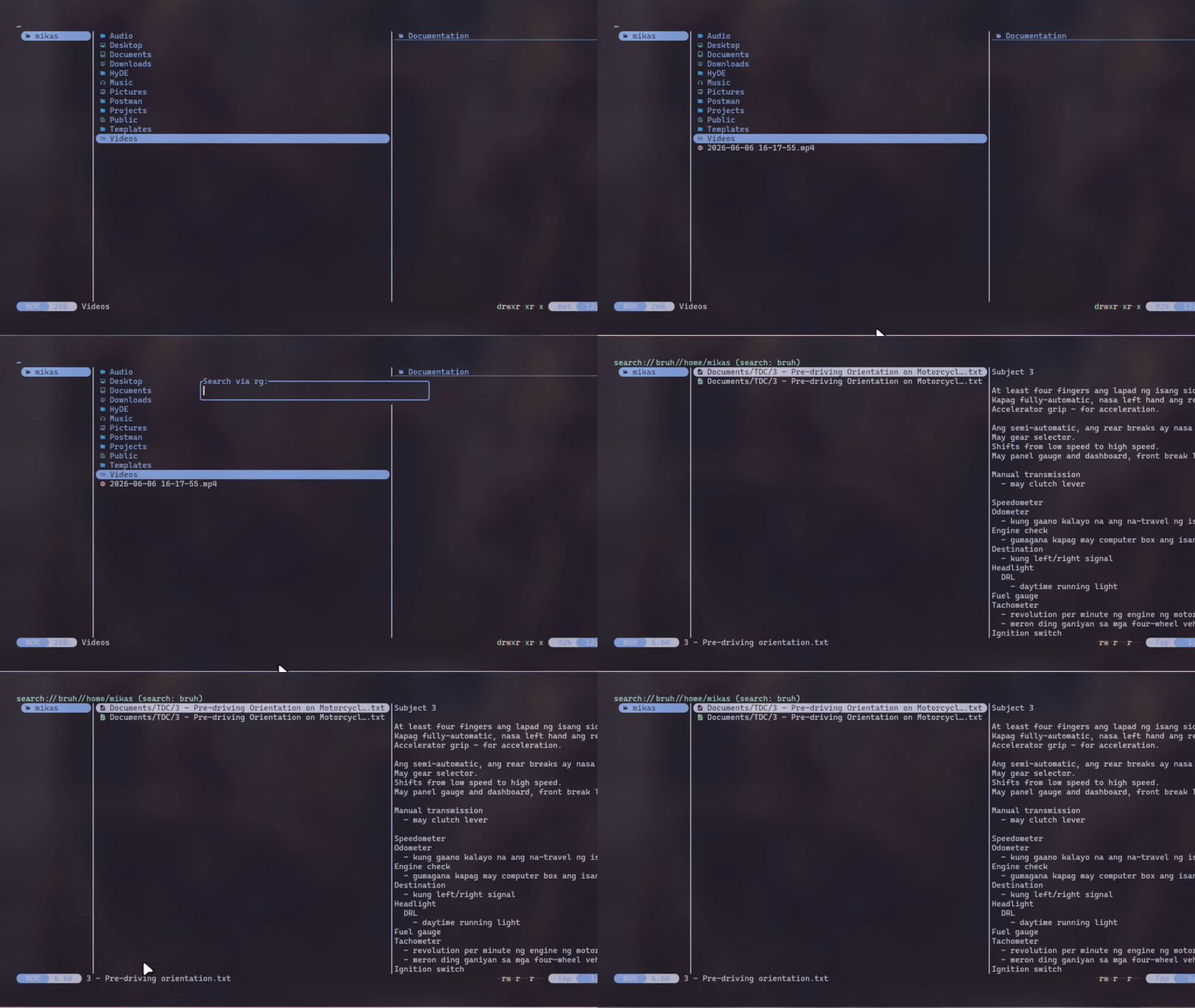
Searching for files in traditional GUI file managers often involves waiting for a slow indexer to run. Yazi handles this by integrating directly with modern CLI tools.
- By pressing
s(which usesfdunder the hood), Yazi instantly filters files by name as you type.
3. Integrated Grep (Content Search)
The real game-changer for my development workflow is Yazi's integration with ripgrep.
- By hitting
S, I can search for a specific string inside files across my entire workspace.
Instead of opening a terminal, typing a complex grep command, and navigating to the file manually, Yazi lets me search for a function name or variable, locate the file, and open it in my editor immediately.
It's fast...because of Rust 😎
Conclusion: Emphasizing Resiliency
Switching from a GUI-based file manager to Yazi was about more than just aesthetics; it was about building a resilient, low-friction development environment.
By shifting file management to the terminal, I removed dependencies on heavy GUI frameworks that are prone to breaking during system updates. In return, I gained a tool that respects my hardware resources, stays out of my way, and speeds up my workflow through instant, keyboard-driven navigation.
If you find yourself constantly reaching for the mouse or waiting on a loading spinner just to find a file, I highly recommend giving Yazi a try.
What does your current file management workflow look like? Do you prefer GUI tools, or have you migrated to the terminal? HMU and let me know.